Projects
A project keeps one client's or campaign's work in one place. Attach it to a chat and Endless loads the project's knowledge and skills.
A project is a space for one client or campaign. It does three separate jobs, and doing one never does another:
| Job | How |
|---|---|
| Holds things | Assets, chats, canvases, skills and the project's knowledge, shown in the project's tabs |
| Grants access | Everyone who can open the project can view what is filed in it |
| Supplies context | Attaching the project to a chat loads its knowledge and skills into that chat |
Filing an asset in a project loads nothing into any chat. Mentioning a project in a chat doesn't file the chat under it. If you want both, do both.
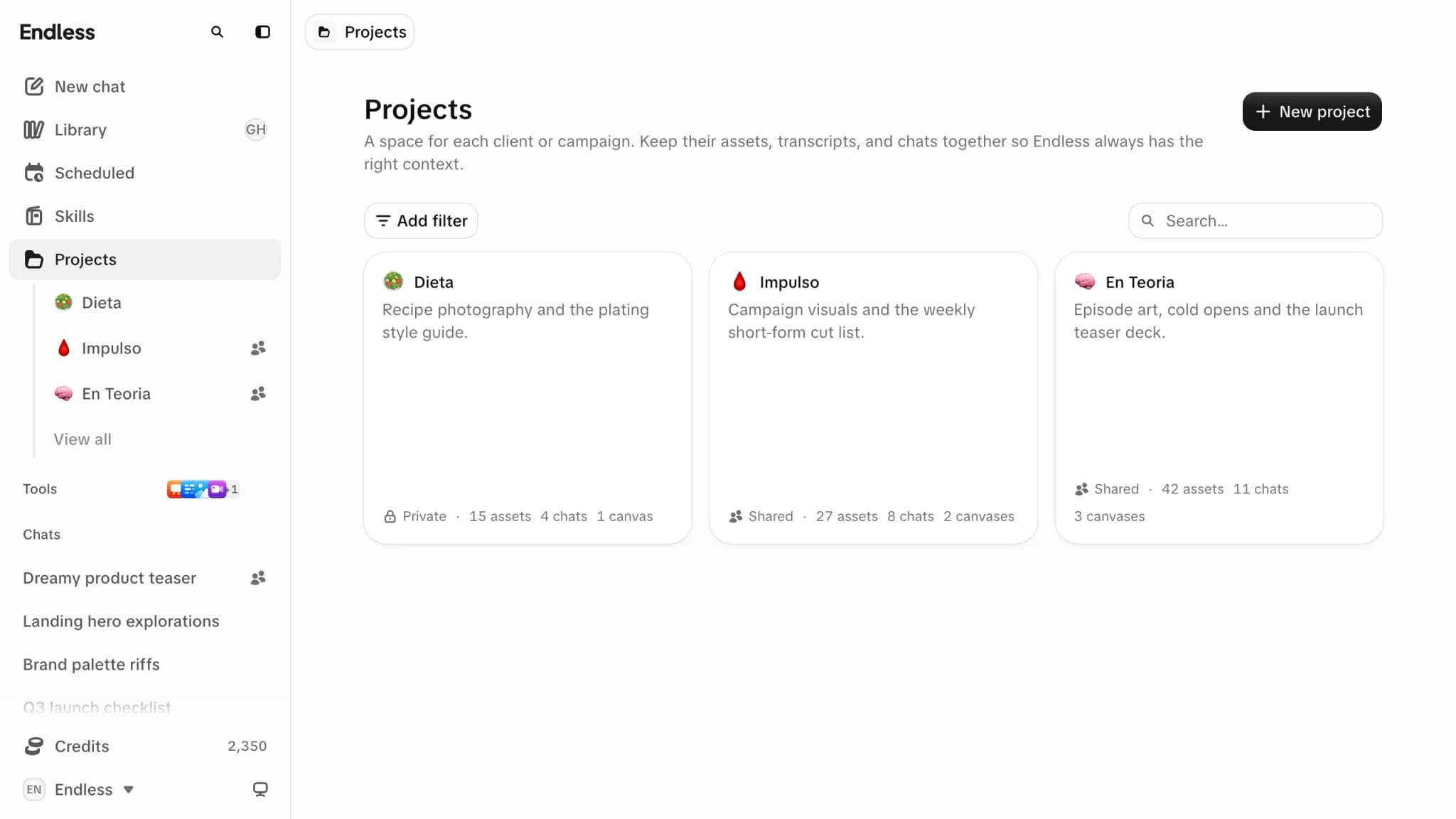
Creating a project
New project on the Projects page asks for a name, link, icon and who it's for. "Create with Endless" builds the project and its knowledge from a website or Instagram profile instead.
The Free plan caps how many projects a workspace can have; paid plans are unlimited. Archived projects count toward the cap; deleted ones don't.
Who can open a project
Under "General access", a project is Private ("Only you and the people you add", the default) or Workspace ("Everyone in the workspace", at Can view by default or Can edit). "Add person" shares it with someone directly, starting at Can view. A person's own role wins over the workspace's, even when it is lower.
| Role | Can |
|---|---|
| Can view | Open the project and read everything filed in it, knowledge included |
| Can edit | Also rename it, edit its knowledge, link and unlink canvases and skills, and file their own chats and assets into it. Needs a workspace role that can create content. |
| Owner | Also change access (Access tab), archive and delete it |
- Anyone whose workspace role includes "Delete content created by others" can also delete a project they can open.
- To file something into a project, it must be yours and you must be able to edit the project. Filed items are view-only to the project's audience, on its Assets tab and in their Library.
- Only a chat's creator can file it in a project.
- Anyone it was shared with can "Leave", unless leaving would give them more access than they had (for example, Can view while the workspace has Can edit).
See Assets and visibility for every way an asset becomes visible.
Attaching a project to a chat
- Type
@and the project's name in the composer, or pick it from the add menu. A chip appears: "This project's knowledge and skills are loaded into this chat." - It stays attached for the rest of the conversation, on every device.
- To stop it, use "Remove from chat" on the chip. This wins even if the project was mentioned earlier.
A removal is stored only on the device where you made it. On another device the project comes back attached, so remove the chip there too.
Endless can attach a project itself when the work is clearly about one, and says so. Remove the chip if you didn't want it.
Knowledge
Every project has one permanent Knowledge entry: its memory. When you state a lasting rule about the client in a chat with the project attached, Endless saves it there and shows a "Saved to" card naming the project.
- It loads only into chats the project is attached to.
- It can't be unlinked or deleted while the project exists, and it is deleted with the project.
- Read it on the project's Knowledge tab; edit it there if you can edit the project. It is a skill underneath. See Skills and knowledge.
The same tab lists the skills filed in the project. Everyone who can open the project may use
them; they load in chats with the project attached, and elsewhere only when called with /. See
skills in projects.
Archiving and deleting
| Action | Who | Effect |
|---|---|---|
| Archive | Owner | Hides the project from everyone but the owner and stops sharing what is filed in it. Nothing is deleted. Listed in Settings → Archived. |
| Unarchive | Owner | Restores it exactly, with its links and access. |
| Delete | Owner, or a role with "Delete content created by others" | Permanent. Doesn't go to the trash and can't be undone from the app. |
Which one do I want?
| I want to… | Do this |
|---|---|
| Keep a client's files together | File the assets into the project |
| Let a colleague reach a client's files | Share the project with them (Access tab) |
| Have Endless write in the client's voice | Attach the project to the chat (@ its name) |
| Teach Endless a rule that should stick | Say it in a chat with the project attached |
| Stop a project affecting the current chat | Remove its chip |
| Hide a finished campaign | Archive it |
Related
- Workspaces and members: who you can share a project with.
- Skills and knowledge: how project knowledge relates to other skills.