Billing
Manage your Endless plan, payment method, invoices and credit purchases, and see who can open the billing page and what happens when a payment fails.
Settings → Workspace → Billing is where the workspace's plan, credits, payment method and invoices are managed.
Set up billing
A new workspace shows the free tier and a "Set up billing" form. Fill it in before you can subscribe:
- Company name: shown on invoices.
- Billing email: receives invoices and receipts. It doesn't have to be your sign-in email.
To change these later, press "Edit" under Billing details.
Change the plan
Open the plan picker
"Upgrade" on a free workspace, "Change plan" on a subscribed one.
Pick monthly or yearly
The picker marks your "Current" plan and any "Scheduled" change.
Confirm
Endless shows the result before charging:
- Upgrade: applies now, charges now and starts a new billing cycle today. You get the new plan's credits; unused credits from the old plan don't carry over.
- Downgrade: applies at the end of the current period. You keep your features and credits until then.
A change is refused when:
- the subscription is yearly (cancel or change it in the payment provider's portal), or
- the target plan has fewer seats than the workspace's members plus unexpired pending invitations. Remove people first.
Buy credits
On a subscribed workspace on Basic or higher, "Buy credits" adds one-time credits. Enter an amount or use the slider, then press the button (for example "Buy 5,000 credits"). They arrive a few seconds after payment, last 12 months and carry over between cycles. Larger purchases cost less per credit; the minimum is shown under the amount.
What the page shows
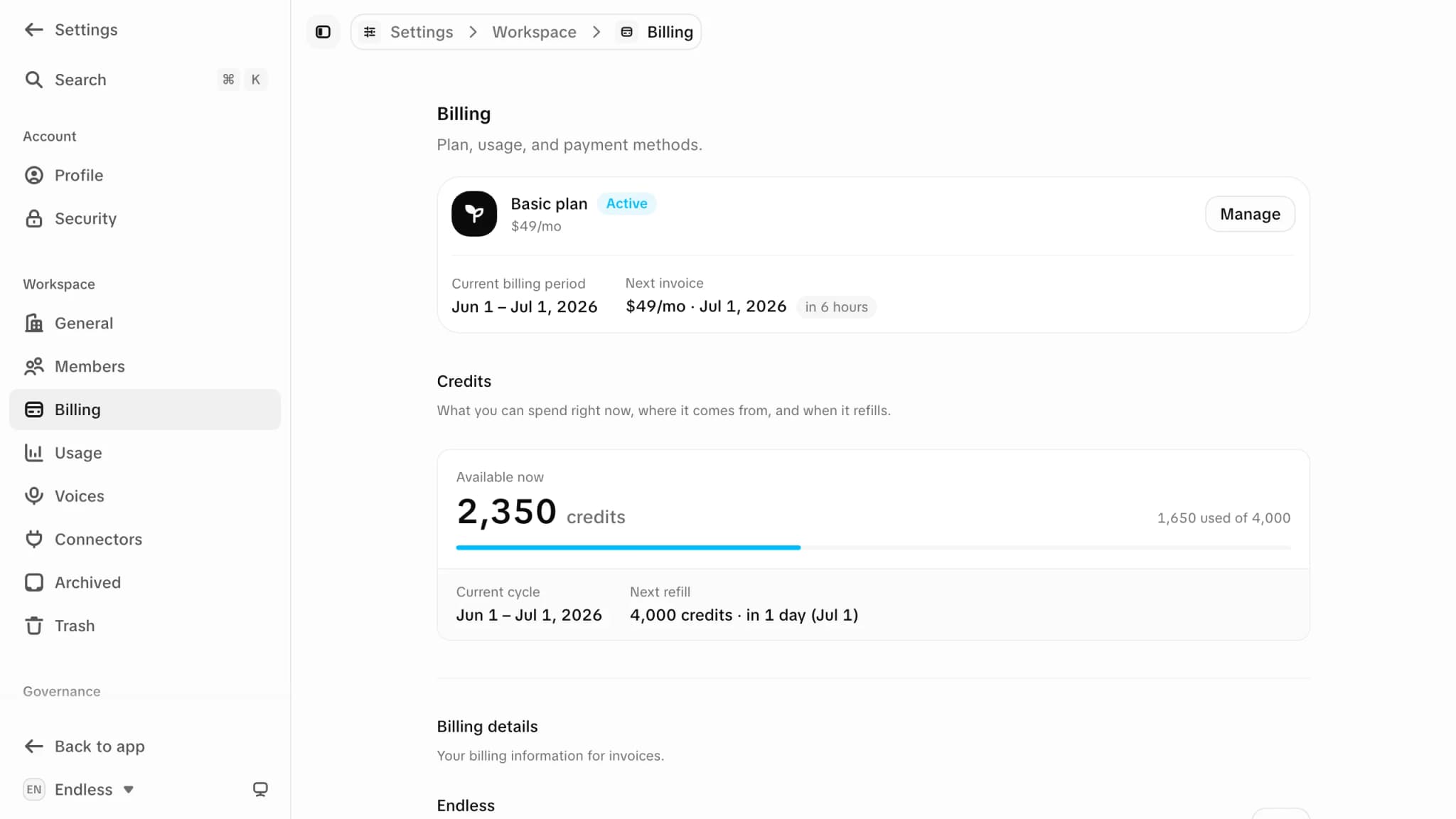
| Section | Shows |
|---|---|
| Plan banner | Plan and status (Active, Free trial, Canceling, Payment issue), current period, next invoice, "Manage" |
| Credits | Credits available now, used against the total, next refill, and each credit source with its expiry |
| Activity | Subscriptions, payments and credit grants from the last 30 days |
| Payment method | The card on file, or "Add payment method" |
| Invoices | "View invoices" for the full history |
"Manage", the payment method and invoices open the payment provider's portal. Endless does not store cards or invoices.
Failed payments
The banner shows "Your last payment failed" with "Fix payment". No new credits arrive until the invoice is paid. The payment is retried for 15 days, then the plan is cancelled.
Prices
Prices, credit allowances, seat counts and project caps are not listed here because they change. See the plan picker or the pricing page. For custom plans, use "Contact sales" in the picker. What credits buy is explained in Credits and spending.