Lixeira
Arquivos e skills excluídos ficam 30 dias na lixeira antes de serem removidos de vez. Como restaurar, excluir agora e quem pode fazer cada coisa.
Configurações → Espaço de trabalho → Lixeira reúne os ativos e skills que você excluiu. Qualquer membro pode abrir, e ela só mostra os seus próprios itens.
Os itens são excluídos para sempre depois de 30 dias, sem outro aviso. Restaure antes disso para mantê-los.
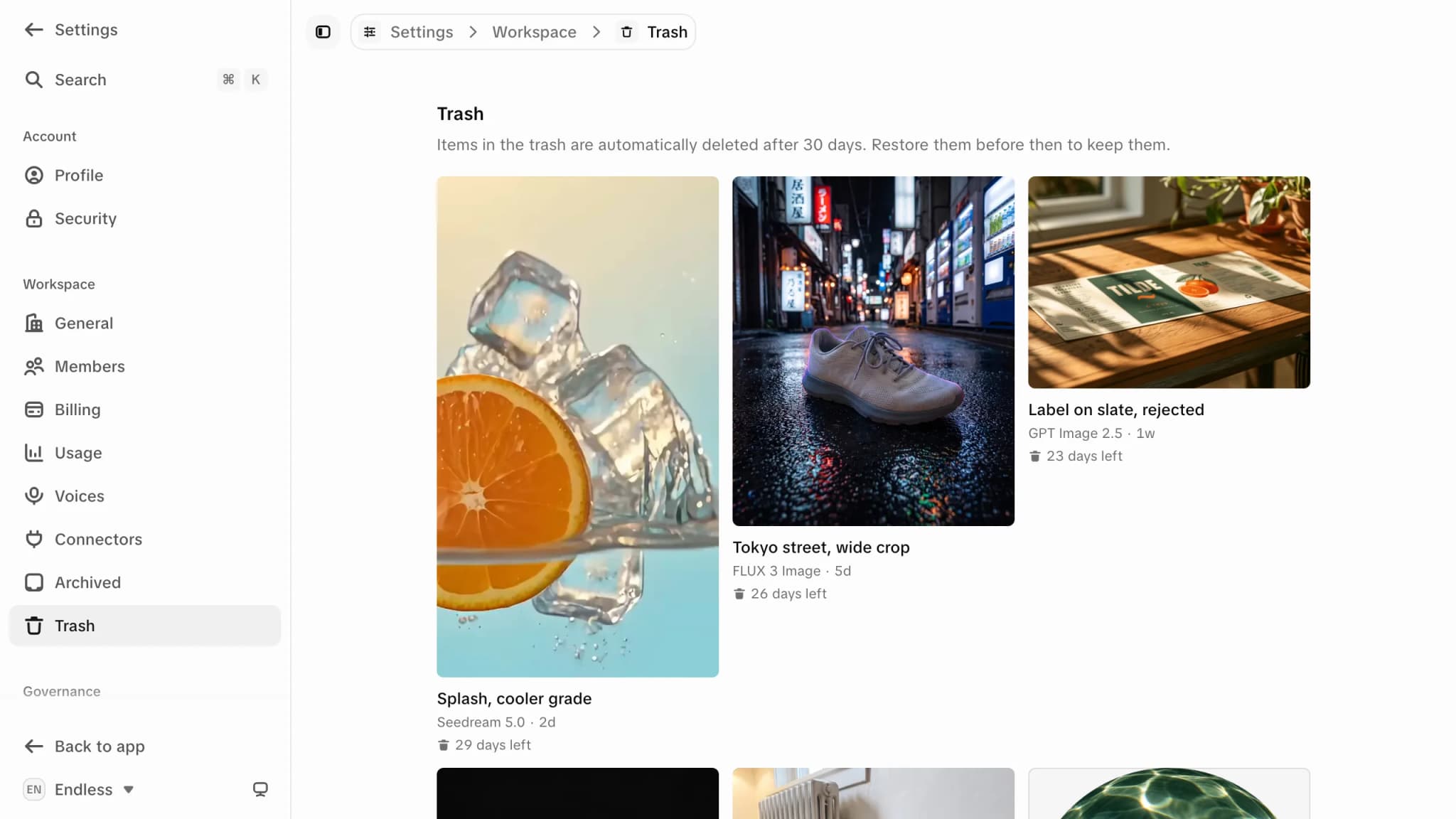
Restaurar um item
Selecione os itens
Selecione um bloco para começar a seleção. Uma barra embaixo mostra a contagem.
Clique em "Restaurar"
Os itens voltam sem alterações, com a mesma visibilidade e os mesmos vínculos com chats, canvas ou projetos.
Excluir um item agora
Na mesma barra, "Excluir para sempre" pula a espera de 30 dias. Também remove o arquivo, então qualquer canvas ou chat que o usava perde o arquivo. Isso não pode ser desfeito.
O que vai para a lixeira
| Item | Vai para a lixeira? |
|---|---|
| Ativos: arquivos enviados, mídia gerada, documentos, transcrições | Sim |
| Skills | Sim, numa lista Skills própria |
| Chats | Não. Excluir um chat é permanente. Veja Histórico de chats. |
| Projetos | Não. Excluir é permanente. Para ocultar um sem perder, arquive. |
Quem pode restaurar ou excluir
- Ativos: só quem criou, seja qual for a função. Veja Ativos e visibilidade.
- Skills: quem criou, ou quem excluiu com "Excluir conteúdo criado por outras pessoas". Se você já tem a mesma skill do catálogo, exclua essa cópia antes de restaurar.
Excluir o espaço de trabalho também apaga a lixeira dele.
Vozes
Crie uma voz para geração de fala descrevendo-a ou clonando-a de gravações, compartilhe com seu espaço de trabalho e use no canvas, no chat e no MCP.
Projetos arquivados
Encontre seus projetos arquivados, traga um de volta para a barra lateral e entenda por que arquivar não libera uma vaga de projeto no seu plano.