Social radar
Ask Radar what is happening now across the web, X and Reddit within a time window, and get a chat briefing that cites a source for every claim.
Social radar searches the web, X and Reddit within a time window you choose and answers in a chat, with a link behind every claim. It saves nothing: no watchlists, charts or history. The conversation it starts is kept in chat history.
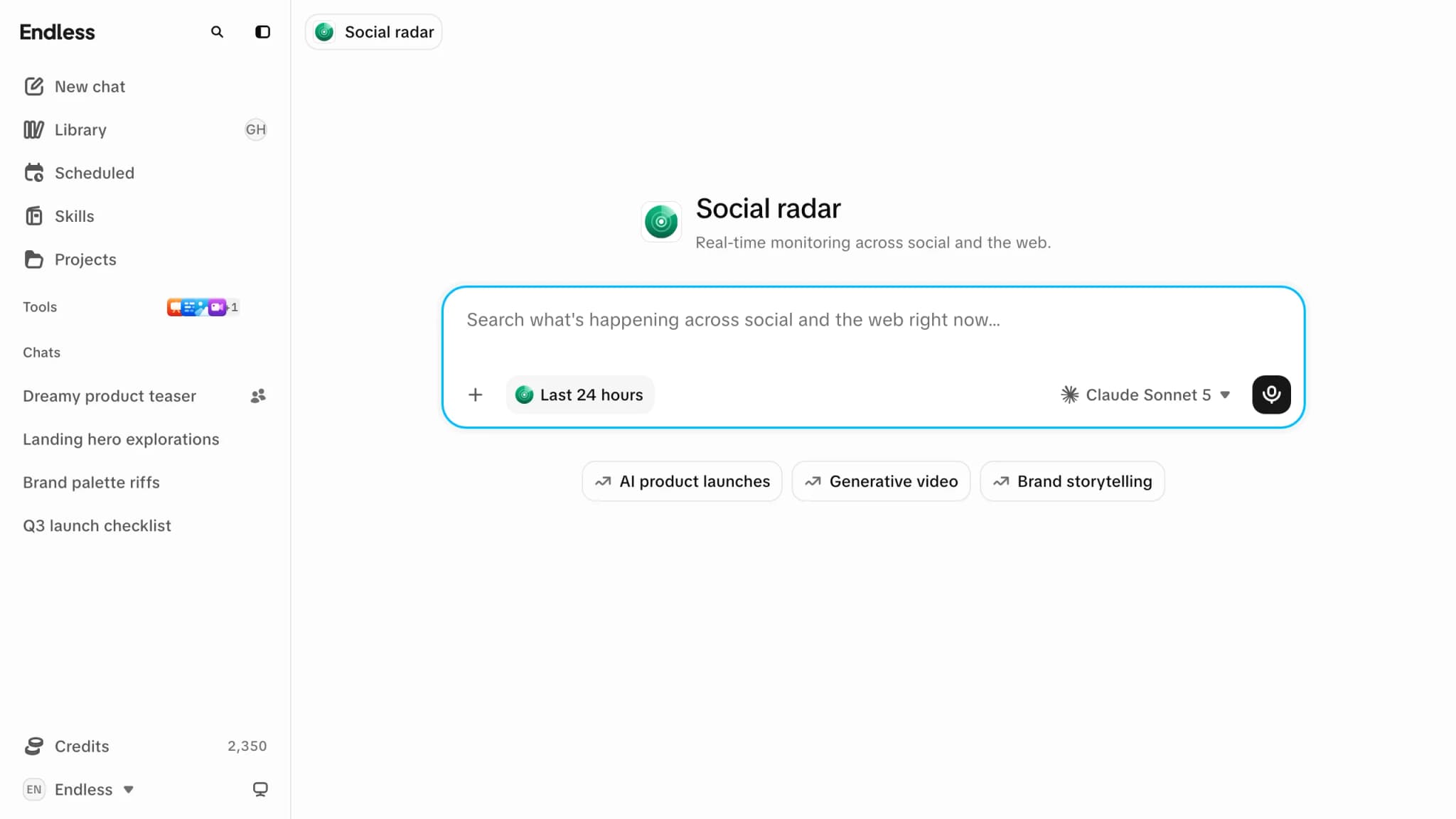
Ask Radar something
- Type a question, or select a trending topic under the composer to fill in a prompt you can edit.
- Set the window in "Real-time recency": "Last 30 minutes", "Last hour", "Last 8 hours", "Last 24 hours" (default), "Last 7 days" or "Last 30 days".
- Optionally, under "Sources" in the same menu, turn off Web, X or Reddit. At least one stays on.
- Send. A new chat opens with the briefing.
Choosing "Off" in the recency menu turns it into an ordinary chat prompt.
The briefing
- Newest and most significant developments first, grouped by theme.
- Every claim links to its source; unconfirmed claims are flagged.
- If little happened in the window, it says so and doesn't widen the window. Ask for a longer one if you want.
You can keep chatting from there, as in any chat.
Trending topics
Up to four topics, for the region your request comes from (there's no region picker). When there are no live trends, Radar shows suggested topics with a dashed outline. If trends failed to load, each says "An error occurred while loading live trends - suggested topic, not live".
Radar inside a chat
Type @radar in any chat composer to add the same recency control. After you send, every later
message in that chat searches the same window until you pick "Off". This is remembered per
chat in this browser only. See mentions.
Other details
- The Radar composer supports dictation and dropping files to attach.
- A half-written prompt is kept if you leave and come back.
- A question asked on Endless's public trends pages before sign-up appears in the composer, not sent, because running it spends credits.
- Radar is priced like any chat: the reply has its cost and each search is a paid step. A wide window across all sources costs more. See credits and spending.
- Radar can be turned off for a workspace, a team or one person. Then it's missing from the sidebar and its link opens the workspace home. See feature availability.
Related
- Chat
- Social research
- Scheduled tasks: run the same briefing on a schedule.