AI headshot generator
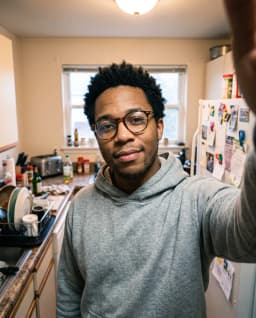
Pick a selfie or a casual photo of yourself. After you sign in, attach it in your workspace chat and the agent makes professional headshots with an image model, keeping your face and changing the outfit, background and light.
What is an AI headshot generator?
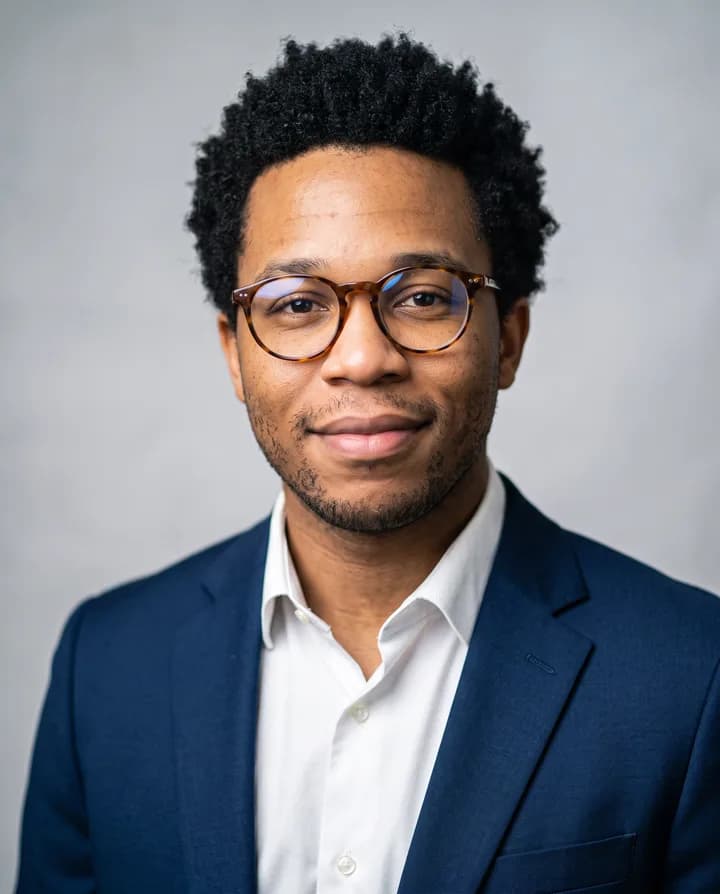
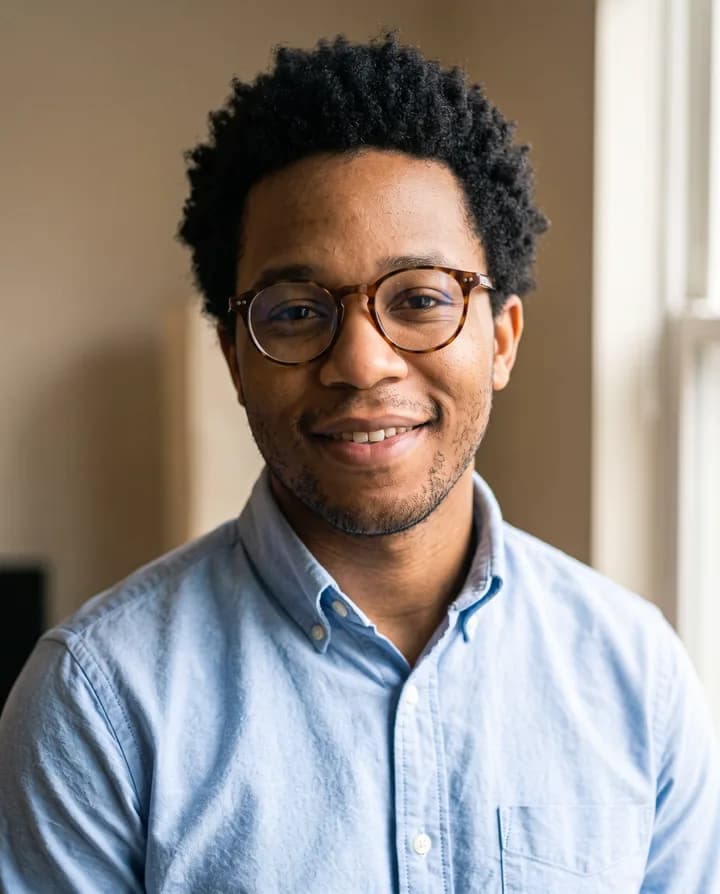
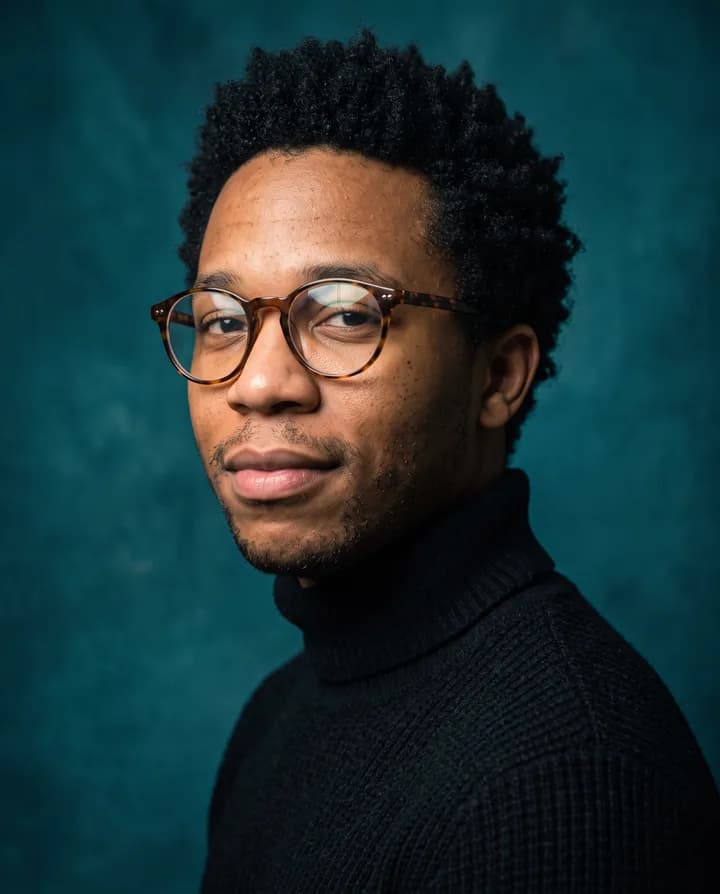
An AI headshot generator turns an everyday photo of you into a portrait that looks like it was taken in a studio. You give a selfie, or a few casual photos, and an image model keeps your face while it changes the clothes, the background, the framing and the light. The result is a head-and-shoulders photo for a profile, a team page or a CV.
Booking a photographer takes time and money, and a team often ends up with portraits that do not match. With a generator you can make a headshot in a few minutes, try several looks, and give a whole team the same background and light so the about page looks consistent.
Endless makes headshots with image models that edit a reference photo, such as Nano Banana 2, Nano Banana Pro and GPT Image 2.5. The model tries to keep your likeness, but it repaints the face, so compare each result with your real face and regenerate if it no longer looks like you. Use photos of yourself, or of someone who gave you permission.
How it works
- 01
Pick a photo of yourself
Drop or choose a selfie in the box above. A sharp, front-facing photo in soft light, with no sunglasses or hat, works best.
- 02
Sign in and attach it again
Create a free Endless account or sign in. Your workspace chat opens with the prompt already written. The file stays on this page, so attach the photo again in the chat, add one or two more photos of yourself if you have them, and send.
- 03
Choose a style and refine it
The agent makes several headshot styles and saves them in your workspace assets. Pick the one that looks most like you and ask for changes, such as a darker suit, a warmer background or a closer crop, in the same chat.
What people use it for
- 01
LinkedIn profile photo
Replace a cropped vacation photo with a clean head-and-shoulders portrait in business clothes and a neutral background, framed for a round profile picture.
- 02
Team and about pages
Give every member, with their agreement, the same background, light and framing, so the team page looks like one shoot even if the source photos came from different phones.
- 03
CV and job applications
Make a simple, well-lit portrait for a CV or an application form in countries where a photo is expected, with plain clothes and a light background.
- 04
Speaker and author bios
Get a portrait for a conference page, a book jacket or a podcast listing, in a look that fits the event, from formal to relaxed.
- 05
Several looks to choose from
Ask for a corporate version in a suit, a creative version with a colored backdrop and a casual version in a sweater, then keep the one that fits each place.
- 06
Refresh an old headshot
Start from a recent selfie to replace a portrait that is years out of date, so people recognize you when you meet them.
Frequently asked questions
Is the AI headshot generator free?
You can start free. A free Endless account comes with the Free plan, which gives your workspace 100 credits when you create it and 50 credits every week. Nano Banana and GPT Image are available on the Free plan, and each headshot spends credits from that balance. Several styles cost more than one, and the agent tells you the cost before it runs.
Will the headshot look like me?
The agent asks the model to keep your face and features as they are. Models repaint the face, so details such as the eyes, nose, skin texture or age can change slightly. Compare each result with your real face, keep only the ones that look like you, and ask for another version if one does not.
What photos work best?
A sharp, front-facing photo with your whole face visible, in even light, without sunglasses, a hat or heavy filters. If you have them, attach two or three photos from slightly different angles so the model has more references for your face.
Can I choose the outfit and background?
Yes. Describe what you want, such as a navy blazer and white shirt on a light grey background, or a black turtleneck on a dark backdrop. You can also ask for several styles at once and pick one.
Can I make headshots of other people?
Only with their permission. Use photos of yourself, or of colleagues who agreed, for example when you make portraits for a team page. Do not create headshots meant to pass someone off as a different person.
How long does it take?
Usually under a minute per image, depending on the model and the resolution. Asking for several styles at once takes a little longer.
Are my photos private?
The photos you attach and every headshot are saved in your workspace as assets, private by default, and you decide whether to share them with teammates. Endless does not post or publish your files anywhere, and your original photo stays unchanged.
Related tools
Change image background
Replace the background of a photo with a new scene you describe.
Open the tool: Change image backgroundFace swap
Put a face from one photo onto a person in another photo, with your own face or with permission.
Open the tool: Face swapImage upscaler
Upscale an image 2x, 3x or 4x with AI and sharpen its detail.
Open the tool: Image upscaler
Give your next idea a place to grow.
Start free, create a project, and bring your brand’s references together. Or book a demo to explore Endless with your team.