YouTube thumbnail maker
Describe the video: the title, the hook and the feeling it should give. After you sign in, the agent in your workspace chat makes 16:9 thumbnails with large, readable text, and can use your photo or a frame from the video.

What is a YouTube thumbnail maker?
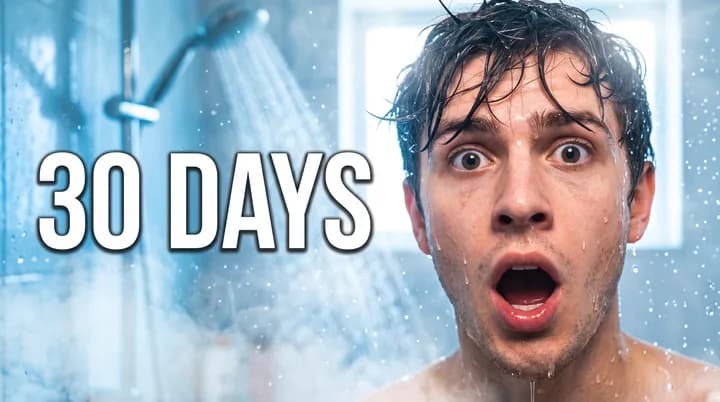
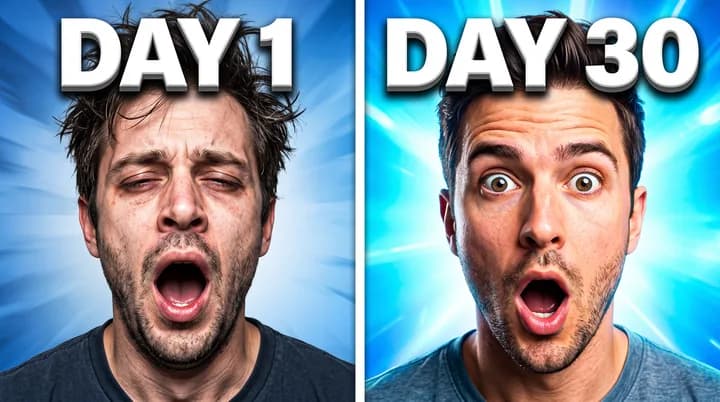
A YouTube thumbnail maker creates the image people see before they click a video. The thumbnail and the title are most of what a viewer has to decide on, so the image needs to say what the video is about at a glance, on a phone screen as much as on a TV.
YouTube recommends thumbnails at 1280 x 720 pixels, a 16:9 ratio. Thumbnails that get clicked tend to share a few traits: a few words in large letters, one face or subject that fills much of the frame, and strong contrast between the subject, the text and the background. Small text and busy scenes are hard to read at the size YouTube shows them.
Endless makes thumbnails from your workspace chat. You describe the video, attach your photo or a frame if you want your face or a real scene in it, and the agent generates 16:9 options with models strong at text, such as Ideogram 4.5 and GPT Image 2.5. Every thumbnail is saved as an asset in your workspace, ready to download and upload to YouTube yourself.
How it works
- 01
Describe the video
Type the title, the hook and the emotion you want the thumbnail to show into the box above. Add the exact words for the thumbnail if you already have them.
- 02
Sign in and attach a photo
Create a free Endless account or sign in. Your workspace chat opens with the prompt already written. To put your face or a scene from the video in the thumbnail, attach the photo or frame in the chat, then send.
- 03
Compare the variants and refine
The agent makes several 16:9 options and saves them in your workspace assets. Ask for bigger text, another expression, a different color or one more version to test.
What people use it for
- 01
New uploads
Make the thumbnail while you edit the video, so the image and the title are ready together on the day you publish.
- 02
Variants to test
Make 2 or 3 versions with different text, colors or expressions. Run them through YouTube's thumbnail test if your channel has it, or swap them by hand and compare the click-through rate in YouTube Studio.
- 03
Refresh older videos
Give an older video with a low click-through rate a new thumbnail. Describe what the video covers and ask for a cleaner design with fewer words.
- 04
Series and playlists
Keep a series consistent: the same colors, the same text position and the same kind of shot, with only the episode details changing from one thumbnail to the next.
- 05
Promos on other platforms
Ask for a square or 9:16 version of the same design to promote the video on Instagram, TikTok or your channel's community posts.
- 06
Your own face in the frame
Attach a clear photo of yourself and the agent places you in the thumbnail with the expression you describe. Use photos of yourself or of people who agreed to appear.
Frequently asked questions
What size should a YouTube thumbnail be?
YouTube recommends 1280 x 720 pixels, a 16:9 ratio. The agent makes every thumbnail in 16:9 at that size or larger. Check YouTube's help center for the current file size and format limits before you upload.
Is the YouTube thumbnail maker free?
You can start free. A free Endless account comes with the Free plan, which gives your workspace 100 credits when you create it and 50 credits every week. Each thumbnail spends credits from that balance. Paid plans add more credits if you publish often.
Can I use my own face?
Yes. Attach a photo of yourself, or a frame from your video, in the chat. The agent uses an image model that takes reference images, such as GPT Image 2.5 or Nano Banana Pro, to put you in the thumbnail. Only use faces of yourself or of people who agreed, and do not show anyone saying or doing something they did not agree to.
How do I make a thumbnail people click?
Keep the text to a few words that add to the title instead of repeating it. Make the face or subject large, with a clear emotion. Use strong contrast so it is easy to see on a small phone screen. Then make 2 or 3 variants and compare how they perform.
Which model is best for thumbnails?
For text on the thumbnail, Ideogram 4.5 or GPT Image 2.5, which are strong at legible text. With your photo as a reference, GPT Image 2.5, Nano Banana Pro or FLUX 3 Image. The agent picks one that fits, or you can ask for a model by name. All of them are available on the Free plan.
Does Endless upload the thumbnail to YouTube?
No. Every thumbnail is saved in your workspace as an asset, private by default, and you decide who to share it with. You download it and upload it in YouTube Studio yourself. Endless does not post anything to your channel.
How much does it cost?
Each thumbnail spends credits from your workspace balance, and the cost depends on the model and the settings. Several variants cost more than one. The agent tells you the cost before it runs. To study what works on a channel first, the YouTube channel analyzer reads its recent videos and titles.
Related tools

YouTube channel analyzer
Analyze any public YouTube channel: upload cadence, top videos by views and title patterns.
Open the tool: YouTube channel analyzerAI poster generator
Describe the event or the offer and get posters and flyers with your text, in the size you need.
Open the tool: AI poster generatorRemove background
Cut the subject out of a photo onto a transparent background, saved as a PNG.
Open the tool: Remove background
Give your next idea a place to grow.
Start free, create a project, and bring your brand’s references together. Or book a demo to explore Endless with your team.