AI image upscaler
Pick an image and Endless makes it 2, 3 or 4 times larger on each side while sharpening its detail. After you sign in, attach the image in your workspace chat and the upscaled PNG is saved with your other assets.
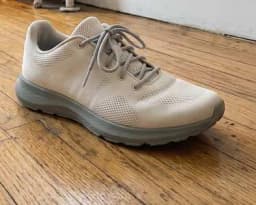
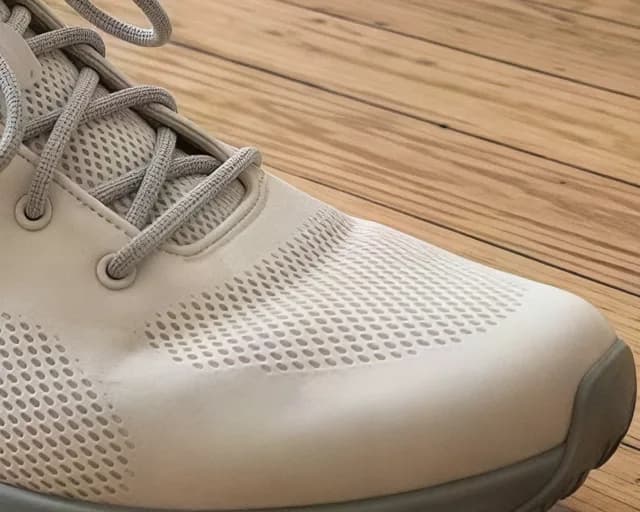
What is an AI image upscaler?
An AI image upscaler makes an image larger while keeping it sharp. Stretching a small image in an editor makes it blurry, because the editor only repeats the pixels it has. An AI upscaler predicts the missing detail, so edges, textures and text stay clearer at the new size.
People upscale images when a photo is too small for print, a product page, a banner or a slide. It also helps with older photos, screenshots and generated images that came out at a low resolution. A larger file gives you room to crop without losing quality.
Endless upscales images with the Enhance image model from your workspace chat. You attach the image and choose 2x, 3x or 4x, and the agent runs the model. The result is saved as a PNG in your workspace assets. A creativity setting controls how much new texture the model may add; at 0 it keeps the picture as it is.
How it works
- 01
Pick your image
Drop or choose the image in the box above. It can be up to 4096 x 4096 pixels and 100 MB.
- 02
Sign in and attach it again
Create a free Endless account or sign in. Your workspace chat opens with the prompt already written. The file stays on this page, so attach the image again in the chat and send.
- 03
Get the larger image
The agent upscales it 2x by default, or 3x or 4x if you ask, and saves the PNG in your workspace assets. Ask for another scale in the same chat.
What people use it for
- 01
Prepare images for print
Print needs more pixels than a screen. Upscale a photo, a poster or an illustration before you send it to print, so it stays sharp at a larger size.
- 02
Enlarge product photos
Make small product photos large enough for zoom on a product page or for a marketplace that asks for a minimum size. The product details stay clear at the new size.
- 03
Upscale generated images
Generate an image with one of the image models in Endless, then upscale it with the Enhance image model in the same chat. Both versions are saved as assets, so you can compare them.
- 04
Rescue old photos
Scanned prints and photos from older phones are often small. Upscale them to use in a slideshow, a family album or a post. Keep creativity low to stay close to the original.
- 05
Crop without losing quality
Upscale first, then crop to the part you need. A crop from a larger image keeps more detail than a crop from the small original.
- 06
Sharpen banners and thumbnails
Make a logo, a banner or a thumbnail sharper for a larger screen, a header or a high-density display. Text and edges come out cleaner than with a plain resize.
Frequently asked questions
Is the AI image upscaler free?
You can start free. A free Endless account comes with the Free plan, which gives your workspace 100 credits when you create it and 50 credits every week. Each upscale spends credits from that balance. Paid plans add more credits if you upscale often.
How much does it cost to upscale an image?
The cost depends on the size of the result: a larger input or a higher scale factor costs more. You can ask the agent for the cost before it runs, so you know what it will spend from your workspace balance.
How much larger can it make my image?
2x, 3x or 4x on each side. 2x is the default. A 1000 x 1000 image becomes 2000 x 2000 at 2x and 4000 x 4000 at 4x.
What images can I upscale?
Images up to 4096 x 4096 pixels and 100 MB. The result is saved as a PNG in your workspace assets.
Does it change what is in my picture?
By default it keeps the picture as it is and sharpens the detail. A creativity setting lets the model invent more texture; raise it when you want a crisper, more detailed look, and keep it at 0 when the result must stay close to the original.
What is the best AI image upscaler?
Look for a choice of scale, control over how much the model changes the image, a lossless output format and somewhere to keep the results. Endless fits if you also want to generate or edit images in the same place, with every version saved in your workspace.
Are my images private?
Images you attach and the upscaled versions are saved in your workspace as assets, private by default, and you decide who to share them with. Endless does not post or publish your images anywhere.
Related tools
AI photo editor
Edit a photo by describing the change: remove an object, change a color, add something or restyle it.
Open the tool: AI photo editorRemove background
Cut the subject out of a photo onto a transparent background, saved as a PNG.
Open the tool: Remove backgroundVideo enhancer
Upscale a video clip to 2x, 3x or 4x its size with an AI video enhancer.
Open the tool: Video enhancer
Give your next idea a place to grow.
Start free, create a project, and bring your brand’s references together. Or book a demo to explore Endless with your team.